
Charging essential devices during a power cut
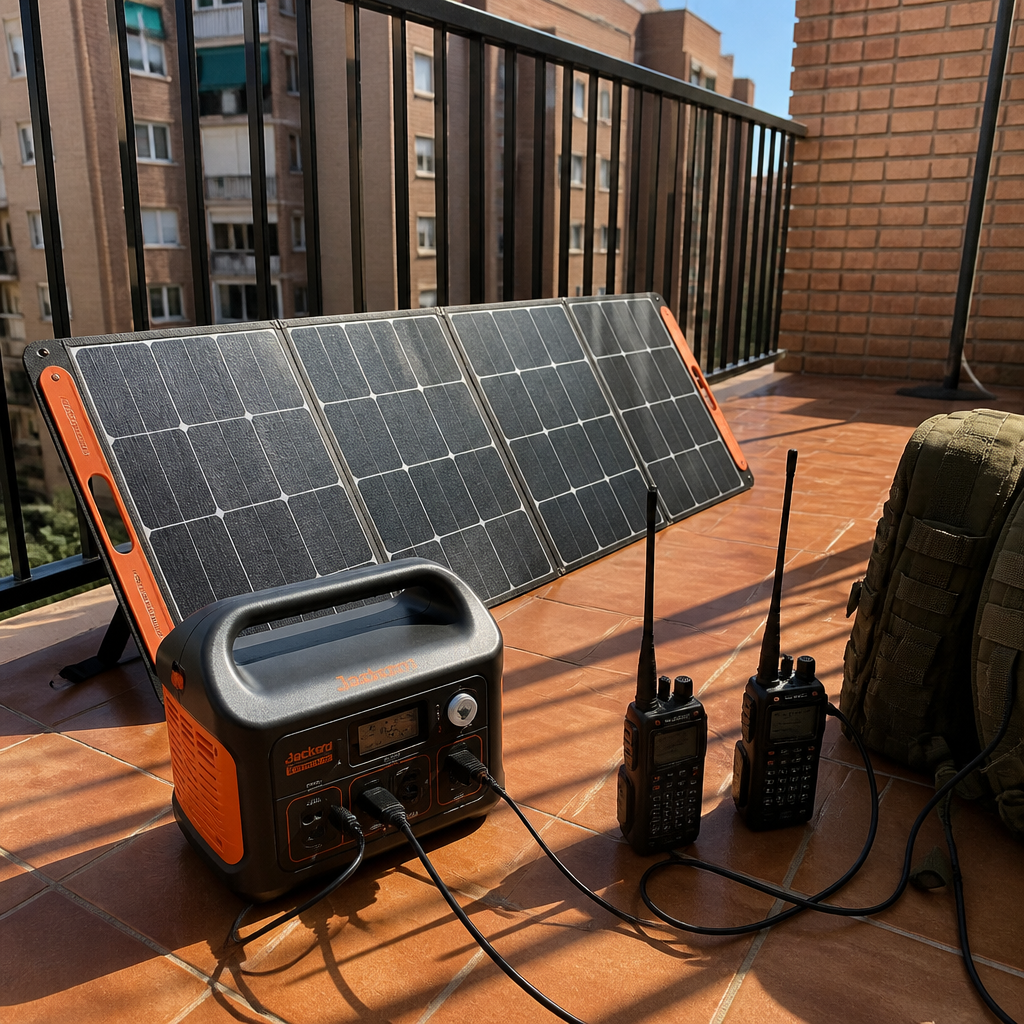
Start with the devices you need to keep working, then plan how to charge them. If you live in a flat, a charged power bank may cover your immediate needs. A portable solar panel can help replenish that reserve, provided your balcony gets enough usable sunlight.
This guide covers a standalone portable setup: a panel, a compatible battery and your devices. It does not cover connecting solar equipment to your home’s wiring. Never connect a portable power station’s output to a household wall socket to feed electricity into the building. Fixed installations need an appropriate design and qualified assessment.
Decide what matters first
Write down the essentials: perhaps one phone, a rechargeable torch and a radio. Check how each device charges and which cables it needs. A radio that uses replaceable batteries requires a different plan from a USB device. Keep the right leads together so the reserve is usable when you need it.
Decide how long you want those devices to last. Use their battery-saving settings where appropriate and prioritise useful tasks. A charged phone helps, but it cannot restore a mobile network that is out of service.
Keep a reserve charged before an outage. Solar can supplement it; shade, rain and short winter days can leave you with much less energy than expected. Do not make a small solar setup your only backup for equipment essential to health: agree a suitable power-loss plan with the equipment provider and care team.
Choose the panel, battery and cables together
- The panel: check its open dimensions, where direct sunlight reaches your balcony and what output it provides. A regulated USB solar charger and a panel with a dedicated DC solar output are different products. Neither the connector shape nor the panel’s headline wattage proves compatibility.
- The power bank: its charging input must accept the panel’s output through a connection supported by the manufacturers. Check the required cable and charging protocol. Do not assume it can charge a phone while the power bank itself is charging; simultaneous input and output must be supported.
- The portable power station: consider one if you need more stored energy or different outputs. Compare capacity, output limits, weight and solar-input requirements. Check the permitted voltage, current, connector and polarity for your exact model. A plug that fits can still be electrically unsuitable.
The EcoFlow RIVER 2 Max manual, for example, lists separate limits for solar input and USB charging, and different mains outputs for regional versions. Use the manual for the unit you actually own. Product names, adapters and a shopping bundle are not substitutes for checking those details.
Watts and watt-hours tell you different things
Watts (W) measure power at a given moment. Watt-hours (Wh) measure energy. An actual average output of 20 W over two hours supplies 40 Wh before subsequent charging losses. That is a calculation example, not a prediction for a panel labelled 20 W.
Panel ratings are measured under specified test conditions. Your result depends on sunlight, angle, shade and the charging equipment. The BigBlue SolarPowa 28 specifications and FAQ explicitly distinguish rated power from actual output. Do not plan around the printed wattage being available throughout the day.
A power bank’s mAh figure also needs its reference voltage to make an energy comparison: Wh = mAh × volts ÷ 1,000. Look for the manufacturer’s Wh rating. Stored battery energy is not all delivered to the phone, so a capacity label alone cannot promise a fixed number of full charges.
Can you charge a phone directly from the panel?
Some regulated solar chargers are designed to charge USB devices directly. A passing cloud does not automatically mean a damaged phone battery. Reduced light can slow or interrupt charging; whether it restarts depends on the panel and device. Follow both manufacturers’ instructions and test that behaviour before relying on it.
An intermediate battery can make it easier to collect energy during daylight and use it later. It still needs a compatible input. Do not connect a raw solar-panel output directly to a phone or ordinary USB power bank.
Keep the battery cool, dry and protected
Put the panel where it receives suitable sunlight, while keeping the phone and battery shaded, dry and ventilated. Do not leave them in a closed bag heating up on the balcony floor. Follow each device’s temperature limits and keep ventilation openings clear.
Electrical Safety First’s power-bank guidance advises against unattended or overnight charging. Check cables and the battery for damage. Stop using a swollen, damaged or unusually hot battery and seek the manufacturer’s advice; do not open or try to repair it yourself.
A panel’s weather-resistance rating does not automatically protect its USB ports, connections, battery or phone. Keep every component within its own limits. Do not trap cables in windows or continue using equipment in conditions its manual excludes.
Treat a balcony as a real outdoor space
Choose a stable position inside the balcony, with walkways and exits clear. Do not hang a panel outside a railing or window using improvised fixings: wind can dislodge it. If you cannot place it safely, use another option. Permanent mounting needs the appropriate checks for your building.
Try the whole setup before you need it
On an ordinary day, test one supported combination of panel, cable and battery. Note the position, time, shadows and charge gained. Check what happens when the light changes. Repeat in less favourable conditions: a successful sunny-afternoon test is not a guarantee for winter.
Keep a short note with the kit: which cable goes where, what worked and how to check the stored charge. Follow the battery’s instructions for storage and periodic recharging. If your balcony cannot provide useful solar charging, a reserve charged from the mains beforehand is still worth having.
Products to compare
These links let you compare individual products mentioned in the original guide. They are not a verified compatible kit. Check the exact model, regional version and included accessories on the destination page.
Affiliate links: As an Amazon Associate I earn from qualifying purchases.
- EcoFlow RIVER 2 Max with a portable solar panel — check the bundle
- BigBlue 28 W portable solar charger — check the model and ports
- JUOVI power bank — check capacity and charging connections
For another practical household step, read Build a 72-hour emergency pantry.
Sources and further reading
Technical references: EcoFlow RIVER 2 Max / Max 500 user manual (PDF); BigBlue SolarPowa 28 specifications and FAQ; Electrical Safety First: power banks. These are references for checking equipment, not a tested compatible kit or a product ranking.
For the distinction between portable use and house wiring, see EcoFlow’s home-integration guidance, including its warning against feeding power through a wall outlet. Local installation requirements still apply.
English editorial review: 5 November 2026. Check the instructions for your exact model and regional version before use.